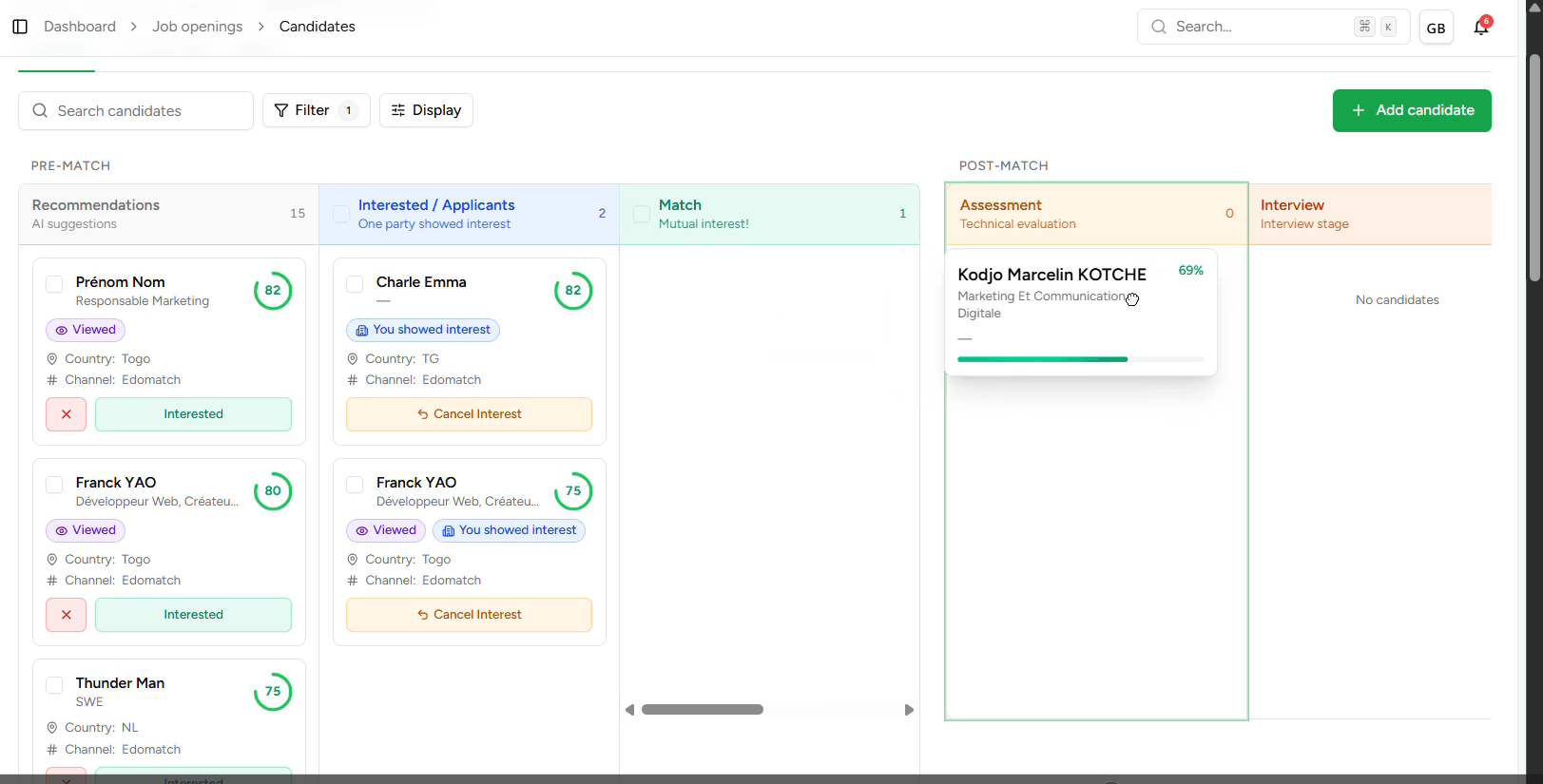
Once your offer is published, your dashboard becomes the nerve center of your recruitment. EdoMatch Business doesn’t just collect CVs; it helps you qualify each profile to identify the best talent at a glance.
1. The Intelligent Pipeline
From the publication, your interface comes alive with two types of profiles: - Direct applications : Talents who have applied voluntarily to your offer. - AI Recommendations : Profiles identified by our algorithm as matching your needs, allowing you to hunt the best talent before they even find you.
2. In-depth consultation (CV & Background)
No longer waste time manipulating external files. Everything is centralized for quick analysis:
- Immediate visualization : Click on a profile to open its detailed sheet.
- **Analysis of the journey **: Consult the original CV or the structured summary of experiences generated by our AI.
- Matching Score : Instantly view the candidate’s strength points against your offer.
3. Qualification: Rate and prioritize
Recruitment is a data-driven human decision:
- Rating system: Assign a review directly on the form. This allows to mark the candidates "favorite" and share your opinion with your collaborators.
- Sorting by relevance: Organize your priorities based on your grades to know exactly who to contact first.
4. Candidates Progression in the Pipeline
Once the interest is mutual (Match), move the candidate according to your strategy: Option A: Assessments: If you want to test technical skills or behavioral "fit", move the candidate to the Assessment step. It’s time to send your tests to evaluate the candidate even before the interview. Option B: Direct Interview: For obvious profiles, go directly to the invitation for an interview.
5. Schedule an Interview
EdoMatch simplifies the organization of your appointments to save you valuable time.
Choose your format During the planning, define the meeting modalities:
- Video conference: Integrate a Google Meet link during the planning.
- In-person: Simply indicate the physical address (location) to welcome the candidate on your premises.
Customize the invitation Do not settle for a date and time:
- Additional message: Add a personalized note (documents to bring, access instructions...). This message is visible to the candidate upon receipt of the invitation.
- Instant confirmation: Once validated, the candidate receives a complete notification, allowing him to confirm his presence.