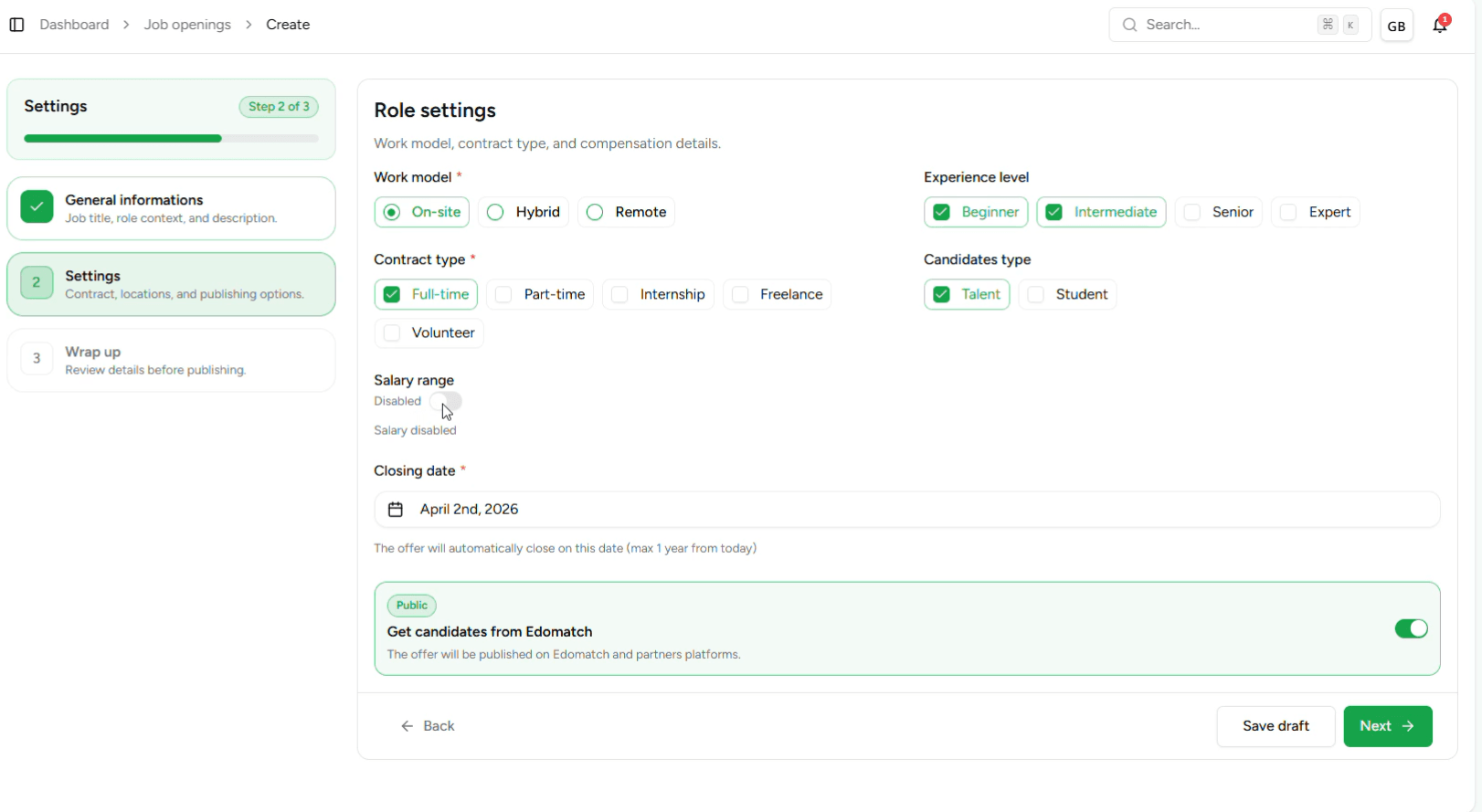
The creation of an offer on EdoMatch Business is designed to be both fast and ultra-relevant. Thanks to our AI, you go from idea to publication in less than two minutes.
Step 1: Launch the creation
From your Dashboard, click on the "Create a job offer" button. This is where the magic happens.
Step 2: AI writes for you
- The Title : Enter the job title (e.g. Fullstack React Developer or Marketing Manager). - Automatic Generation : As soon as the title is set, our AI generates a complete professional description, including the missions and required skills. - Customization: You keep total control. You can modify, add or delete elements of the description to match perfectly with your company’s DNA.
Step 3: Location and Visibility
- Country of distribution: Specify the country in which the offer must be visible. This allows our algorithm to target local talents or those open to mobility in this specific area.
Step 4: Compensation Settings (Optional)
Transparency attracts the best profiles. You can:
- Indicate the amount of the salary.
- Choose the currency (EUR, USD, etc.).
- Define the frequency (Annual, Monthly, or Hourly).
Step 5: Review and Draft Mode
Before making the offer public, EdoMatch presents you with a comprehensive summary. Take a moment to check the layout and details. - Publish directly : Your offer is instantly put online and the AI already starts recommending profiles to you. - Save as draft: You haven’t finished? Save your work to come back later or to have it validated by a collaborator.
Ready to recruit real talent? It’s time to create your offer on EdoMatch