



Run payroll with the checks in view.
Prepare variable inputs, review calculated payslips and follow each cycle through validation and closing. Keep payroll totals, warnings and the next step visible in one workspace.
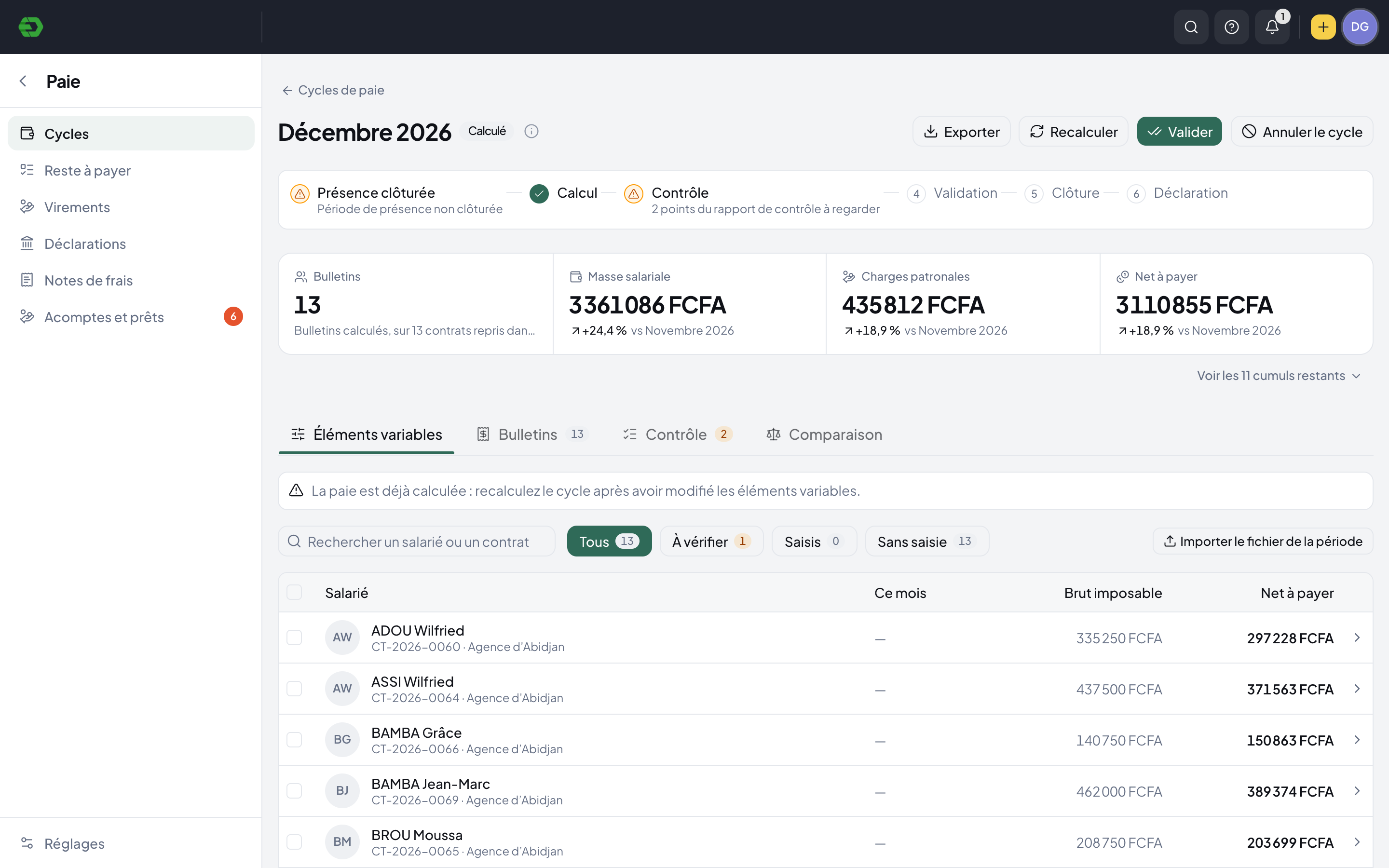
One cycle. A clear sequence.
Prepare the period
Organize a cycle by employer, payroll group and period. Enter or import variable inputs and check the attendance-closing status.
Calculate and review
Review gross pay, employer charges and net pay. Open payslips, inspect control warnings and compare with the previous cycle.
Validate, then close
Resolve the items that need attention before validation. Follow the cycle’s closing and declaration stages after payroll is paid.
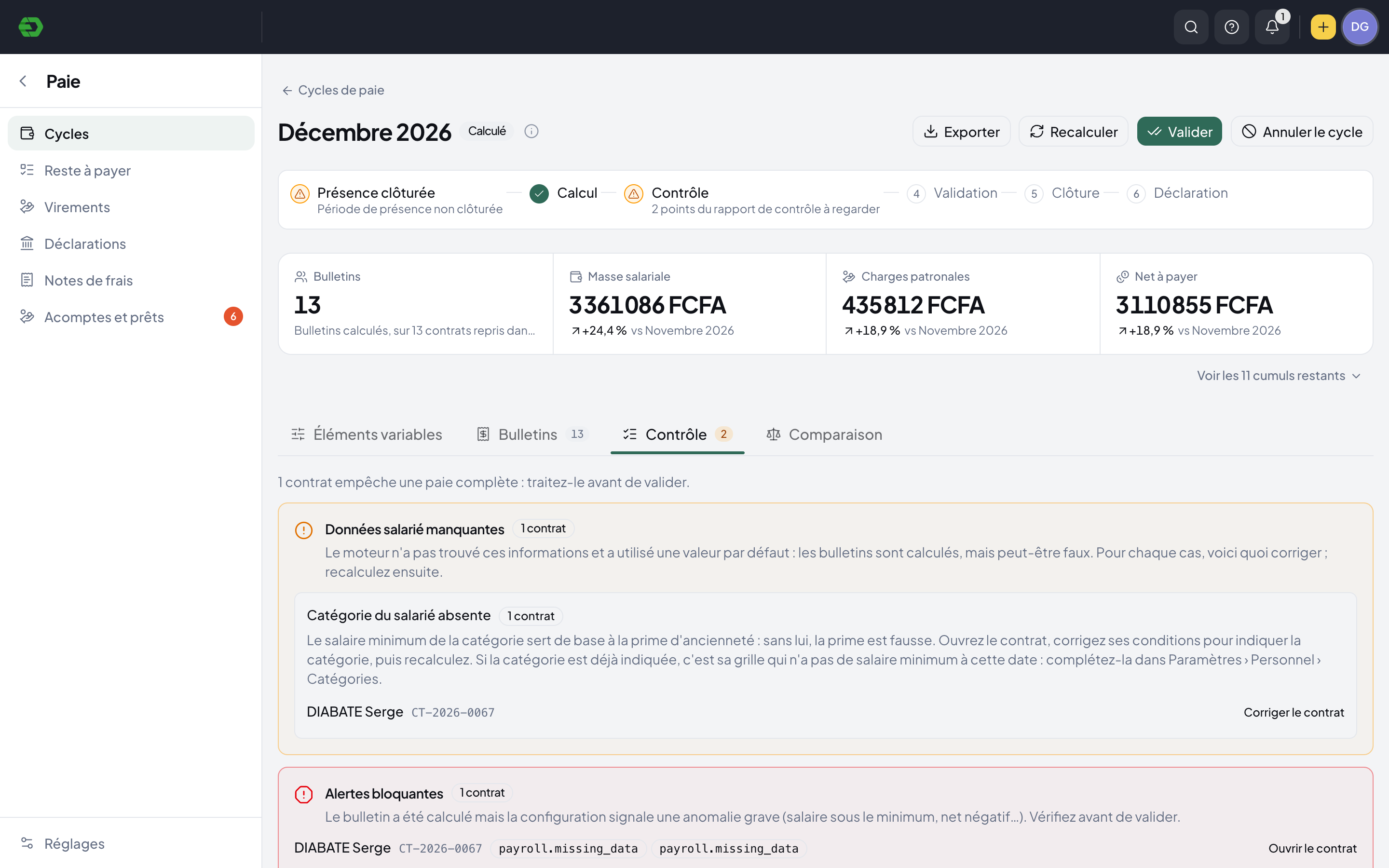
See what needs attention before validation.
The control report identifies missing employee data and blocking warnings, explains what needs correcting and links back to the relevant contract.
- Employee and contract search
- Missing-data and blocking-alert review
- Totals compared with the previous cycle
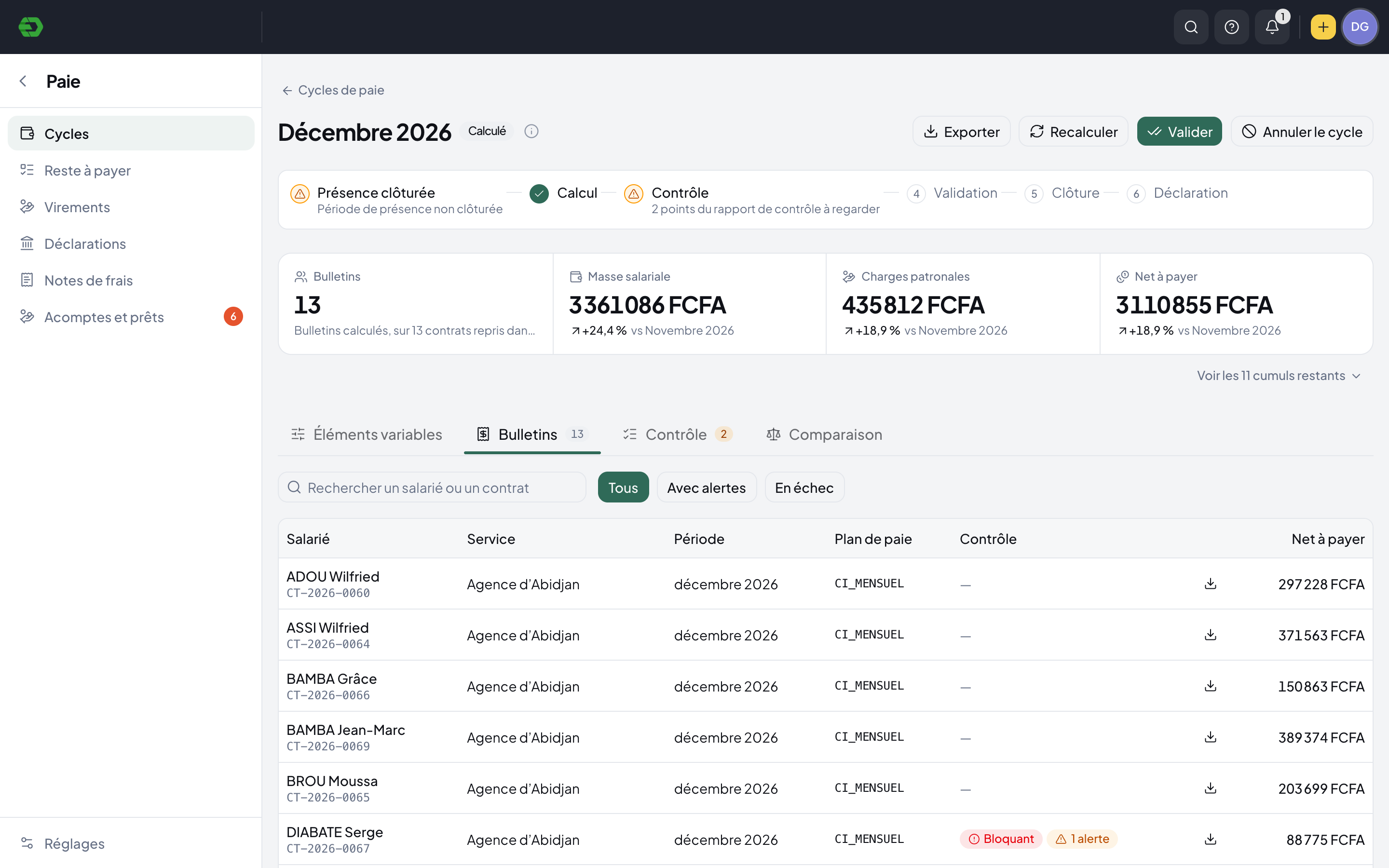
Keep every payslip within reach.
Open the cycle’s payslip list to see each employee, department, period, payroll plan and net amount. Filter the list to focus on warnings or failed calculations.
- Individual payslip records
- Download controls for each payslip
- Separate simulation cycles for payroll scenarios
Payroll starts with the employee record.
Contracts supply the payroll plan, group and employment conditions. The cycle also shows attendance closing and links control issues back to the source record, keeping corrections connected to payroll review.
Explore HR SuiteA few practical answers.
Can we manage more than one employer?
Cycles are associated with an employer, payroll group and period. The demo includes separate cycles for several employers and country payroll packs.
Can we test a payroll scenario?
A separate simulation action is available. Its description states that it uses a payroll hypothesis without paying anyone or changing contracts.
Does a calculated cycle mean payroll is ready?
No. Calculation and validation are separate steps. The control report can flag missing data or blocking issues that need review and correction before validation.
Bring your HR work together.
Explore the workspace for your people, recruitment, time and payroll. Start with the part your team needs today.