



Keep employment terms and dates in view.
Bring contract conditions, effective dates, amendments and documents into the employee record. See the current agreement and keep a history of how it changes.
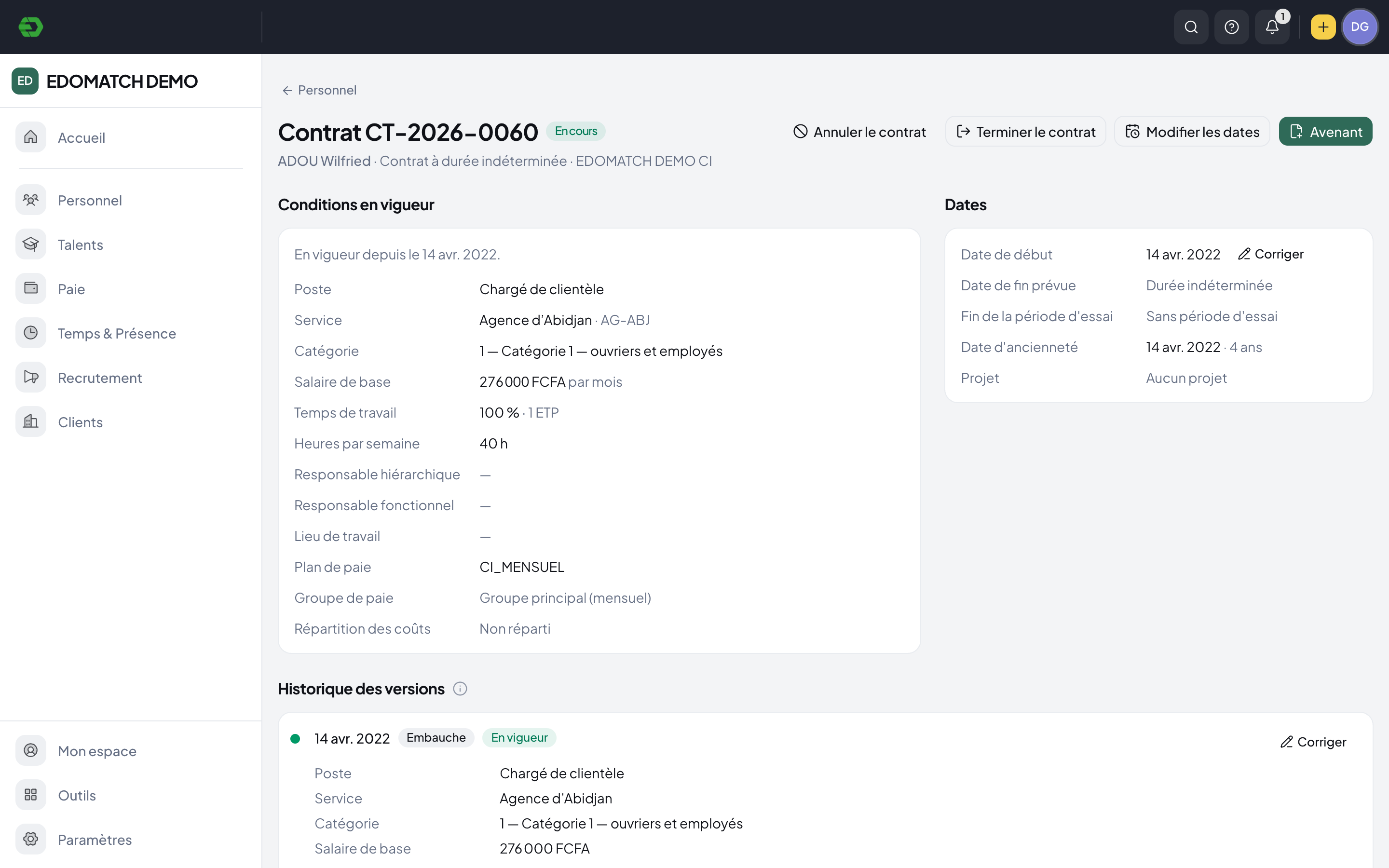
From employment terms to a traceable record.
Record the employment terms
Keep the employer, role, department, category, base salary, working time and payroll plan with the contract.
Follow dates and changes
Review start and end dates, probation and renewals. Use effective-dated amendments to retain the history of employment conditions.
Keep the supporting documents
Store the signed original in the employee’s employment documents. Generate documents from templates using the contract data.
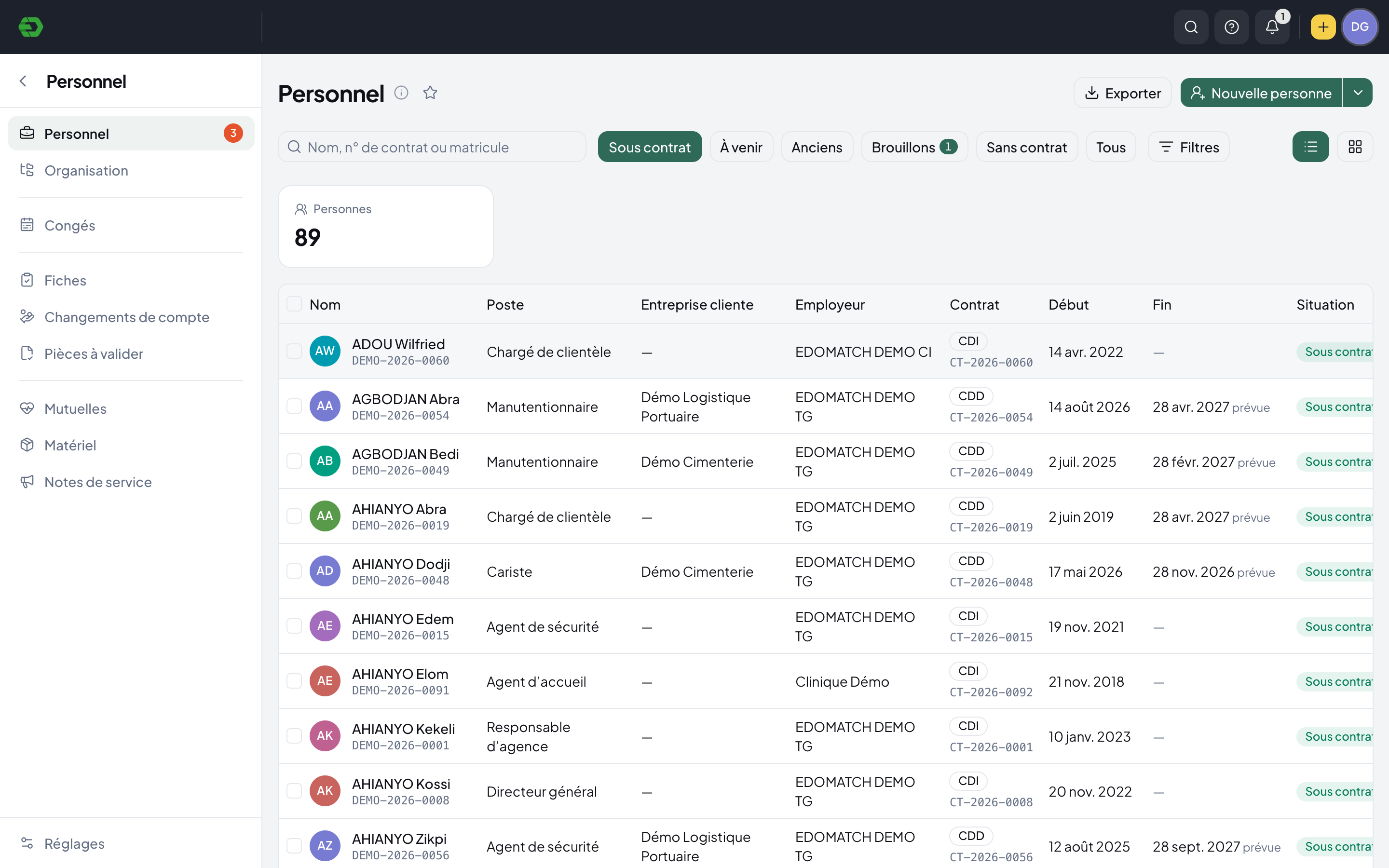
See the agreement behind the employee record.
The personnel directory brings contract status, employer, start date and expected end date together. Open a contract for its current conditions, dates and version history.
- Active, upcoming, former and draft views
- Employer and client-company context
- Payroll plan and group on the contract
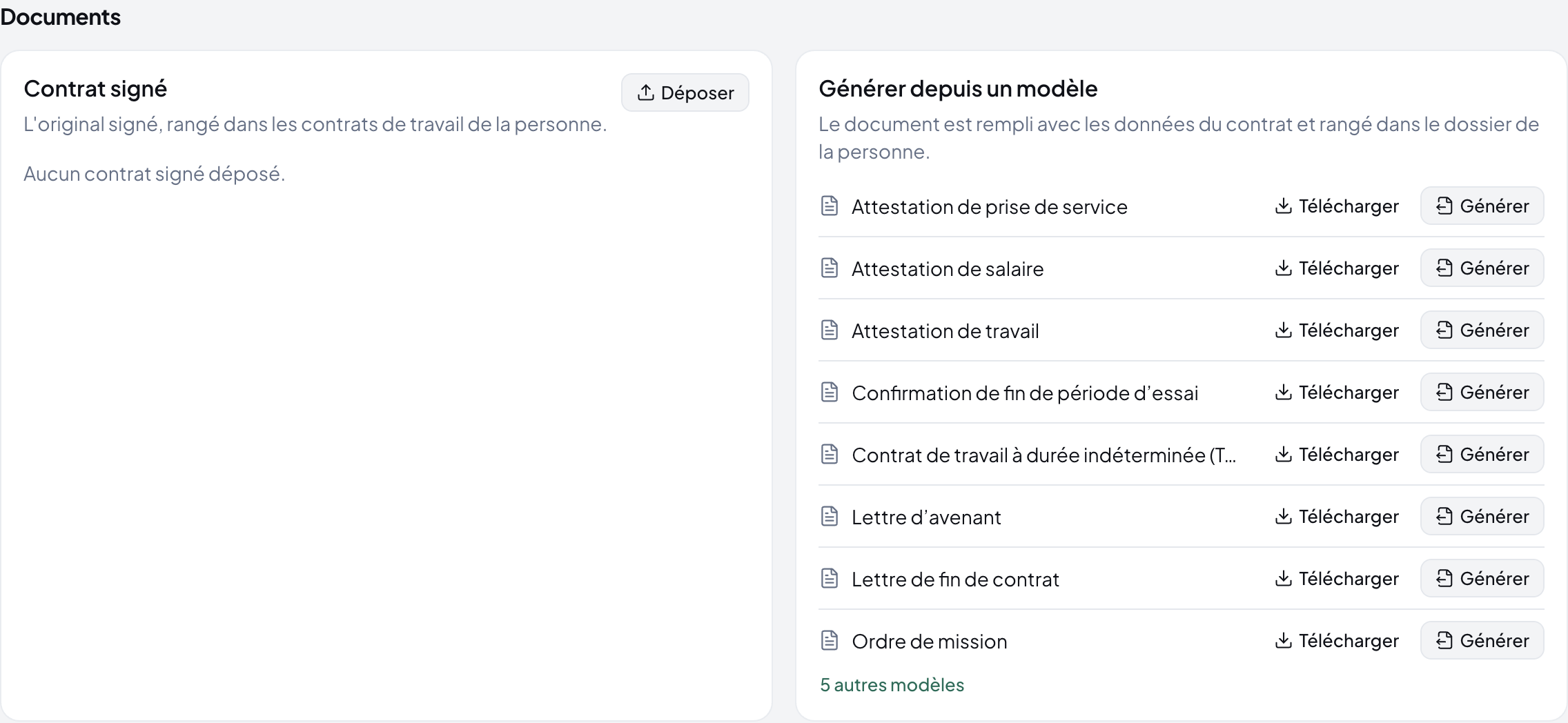
Keep documents with the terms they support.
A contract has a place for the signed original and documents attached to versions. Available templates include employment certificates, amendment letters and end-of-contract letters.
- Effective-dated amendment history
- Signed-original storage
- Template documents filled from contract data
The terms behind payroll.
The contract holds salary, working time, category and payroll configuration. Payroll checks link back to the contract when employment data needs correcting, so the review starts from the same record.
Explore HR SuiteA few practical answers.
Can we follow contract changes over time?
Yes. The contract history records versions with effective dates. The interface explains that each amendment creates a new version.
Can we keep signed contracts in HR Suite?
The contract page provides a signed-original upload area in the employee’s employment documents.
Can we generate documents from the contract?
Available document templates can be filled with contract data, downloaded or generated into the employee record. The templates available depend on the workspace configuration.
Bring your HR work together.
Explore the workspace for your people, recruitment, time and payroll. Start with the part your team needs today.