



Clear requests. Visible leave balances.
Keep time-off requests, decisions and balances together. See who is away, follow what needs approval and use the absence rules configured for your organization.
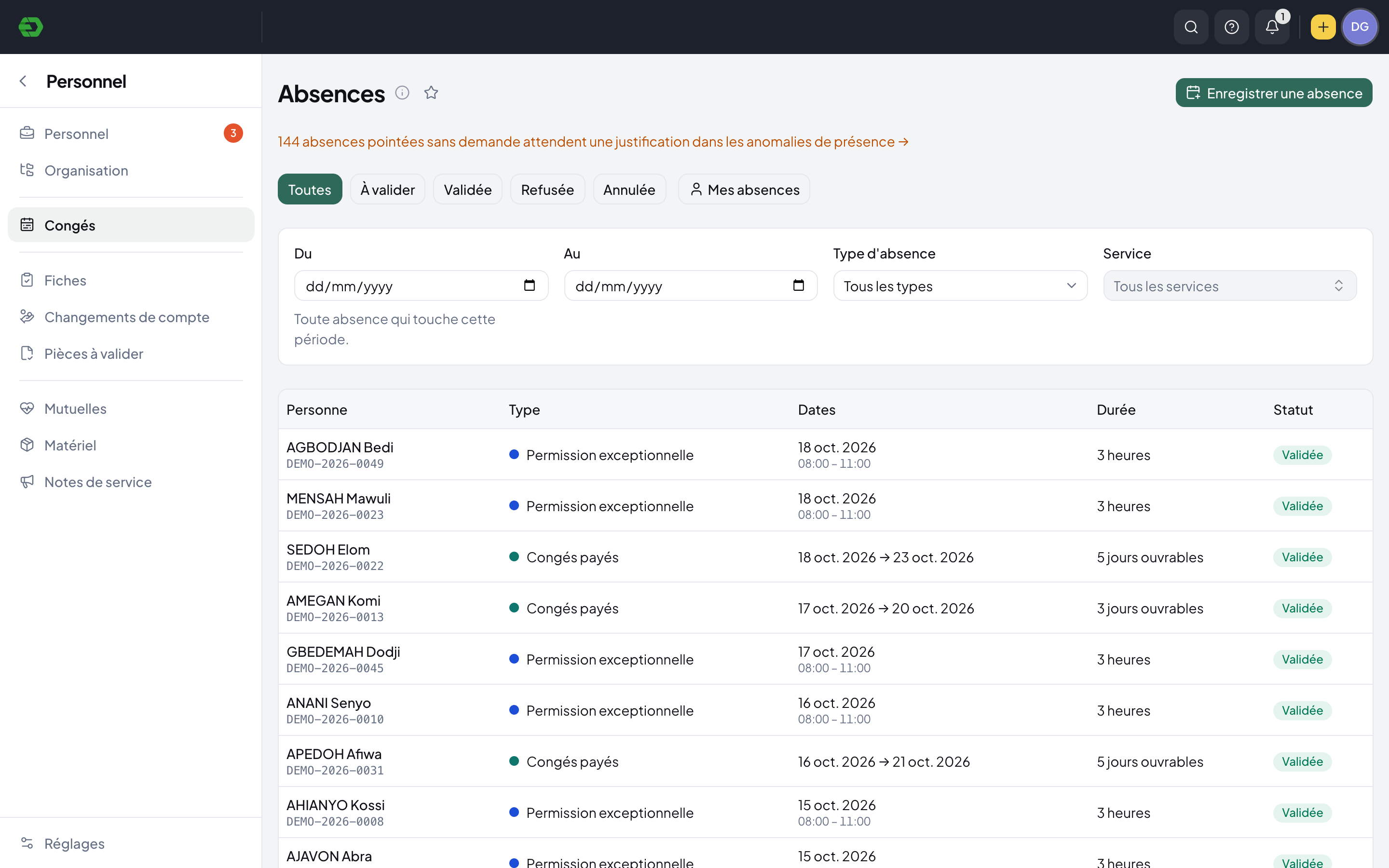
From a request to a shared record.
Find the request
View absences by period, type, department and decision status. Separate requests awaiting approval from approved, rejected or cancelled records.
Review the detail
Open the request for dates, counted duration, paid status, supporting evidence and decision history.
Follow the balance
The employee record shows accrued, taken, pending and remaining leave alongside the person’s absence history.
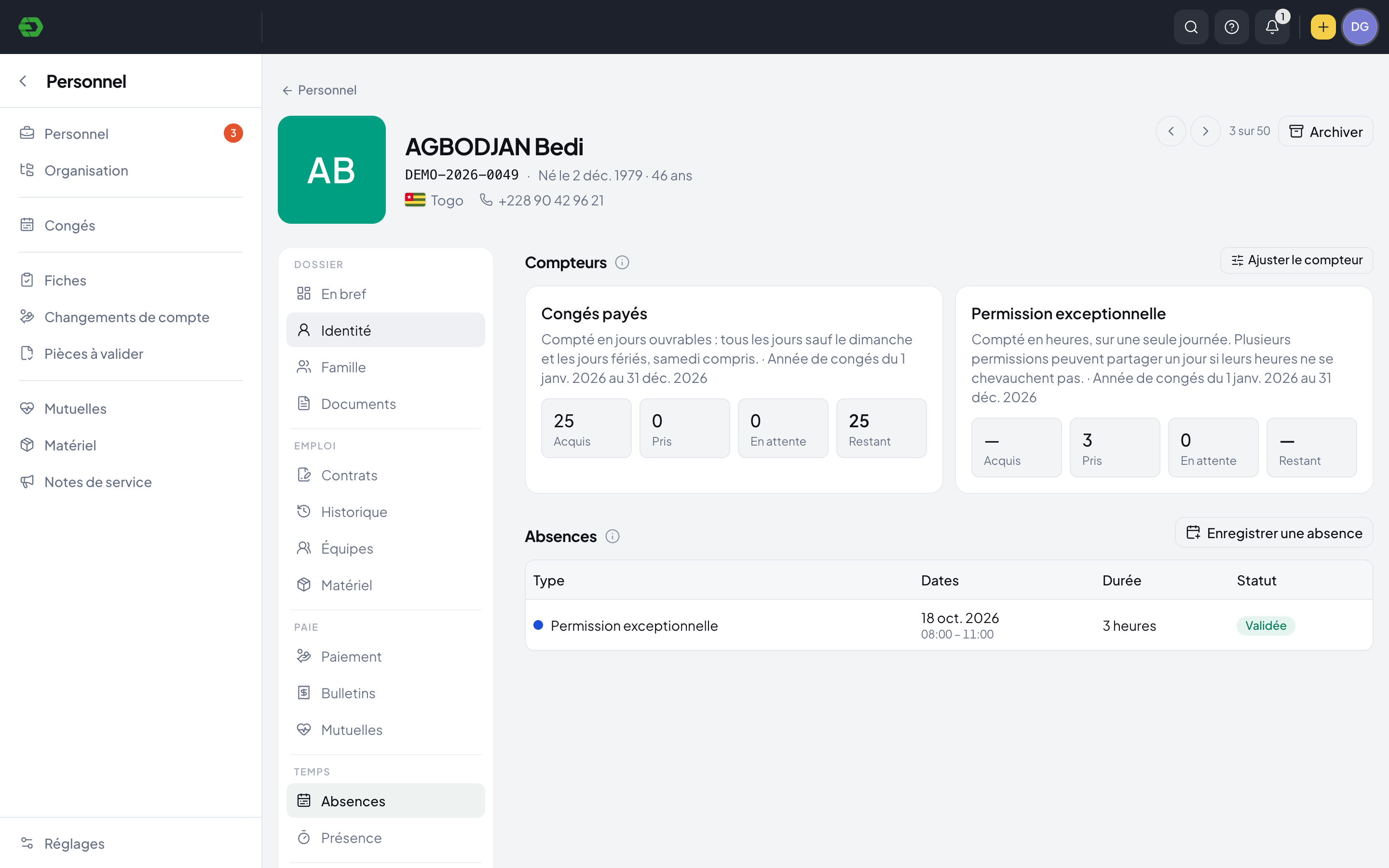
A balance with the detail behind it.
See the leave year, counting method and balance on the employee record. Hour-based permissions and day-based leave can be followed in their own units.
- Accrued, taken, pending and remaining amounts
- Hours, working days or calendar days by type
- Individual absence history with decision status
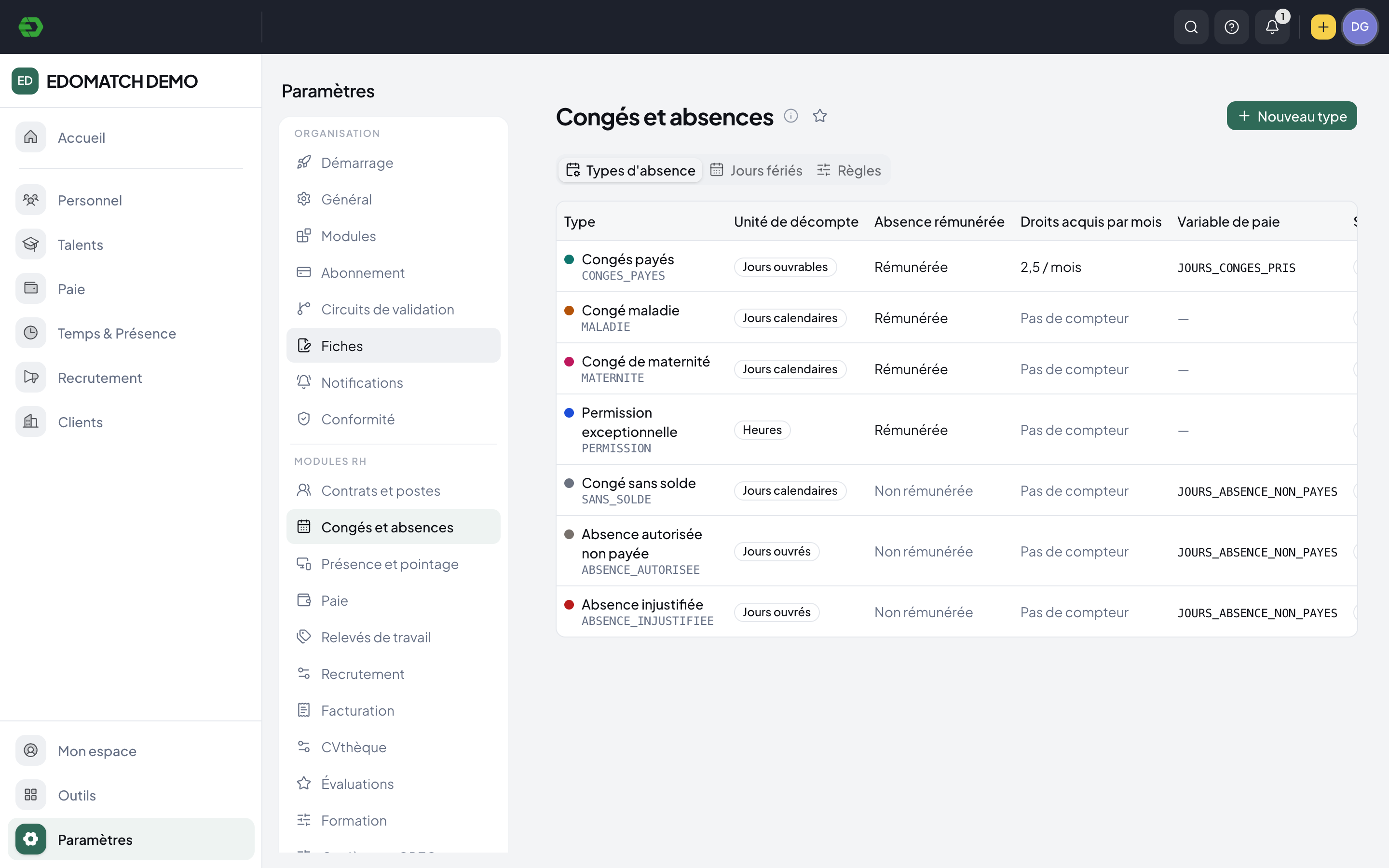
Use the rules your organization needs.
Absence types define how time is counted, whether it is paid, whether rights accrue and which variable is passed to payroll. Holiday and rule settings sit alongside these types.
- Paid and unpaid absence types
- Monthly accrual and leave counters
- Payroll-variable mapping by absence type
Keep time off connected to planning and pay.
Planning distinguishes leave and pending leave. Absence settings describe the payroll variable associated with each type, while unexplained attendance remains in a separate exception-review workflow.
Explore HR SuiteA few practical answers.
Can leave be counted in hours as well as days?
Yes. The demo includes hour-based permissions, working-day paid leave and calendar-day absence types. The counting method is set on each type.
Can we see requests still awaiting approval?
The absence list has separate filters for awaiting approval, approved, rejected and cancelled records, with period, type and department filters.
Where can we see an employee’s remaining leave?
The employee’s Absences section shows counters for the current contract, including accrued, taken, pending and remaining amounts, plus the absence history.
Bring your HR work together.
Explore the workspace for your people, recruitment, time and payroll. Start with the part your team needs today.