


Give every arrival a plan and an owner.
Prepare the tasks behind a new hire’s first days. Configure arrival checklists with instructions, deadlines and responsible roles, then connect them to contract activation.
Prepare the record. Assign the work. Start together.
Build the employee record
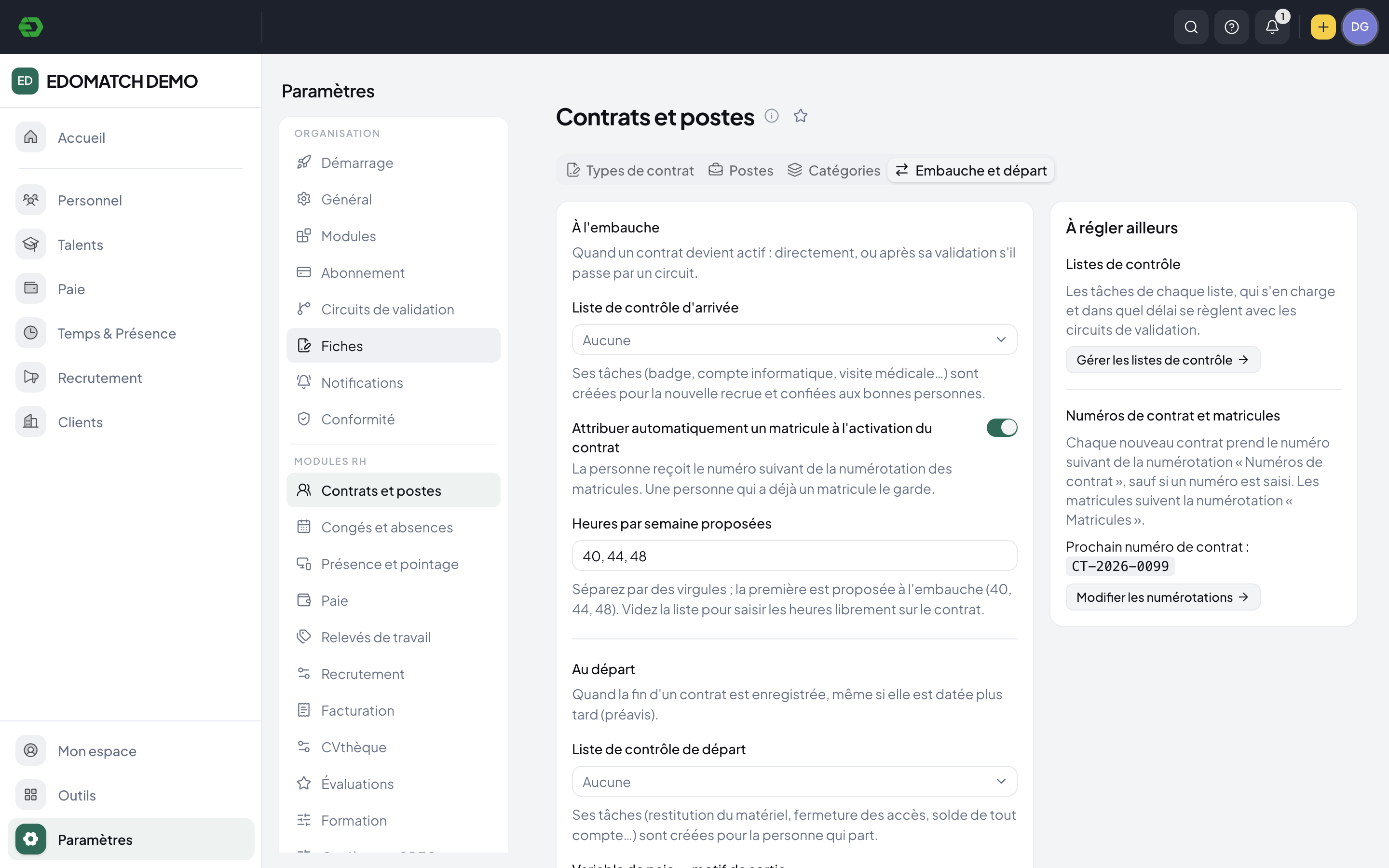
Capture identity, contact and address details. The new-person form checks the registry for possible duplicates before creation.
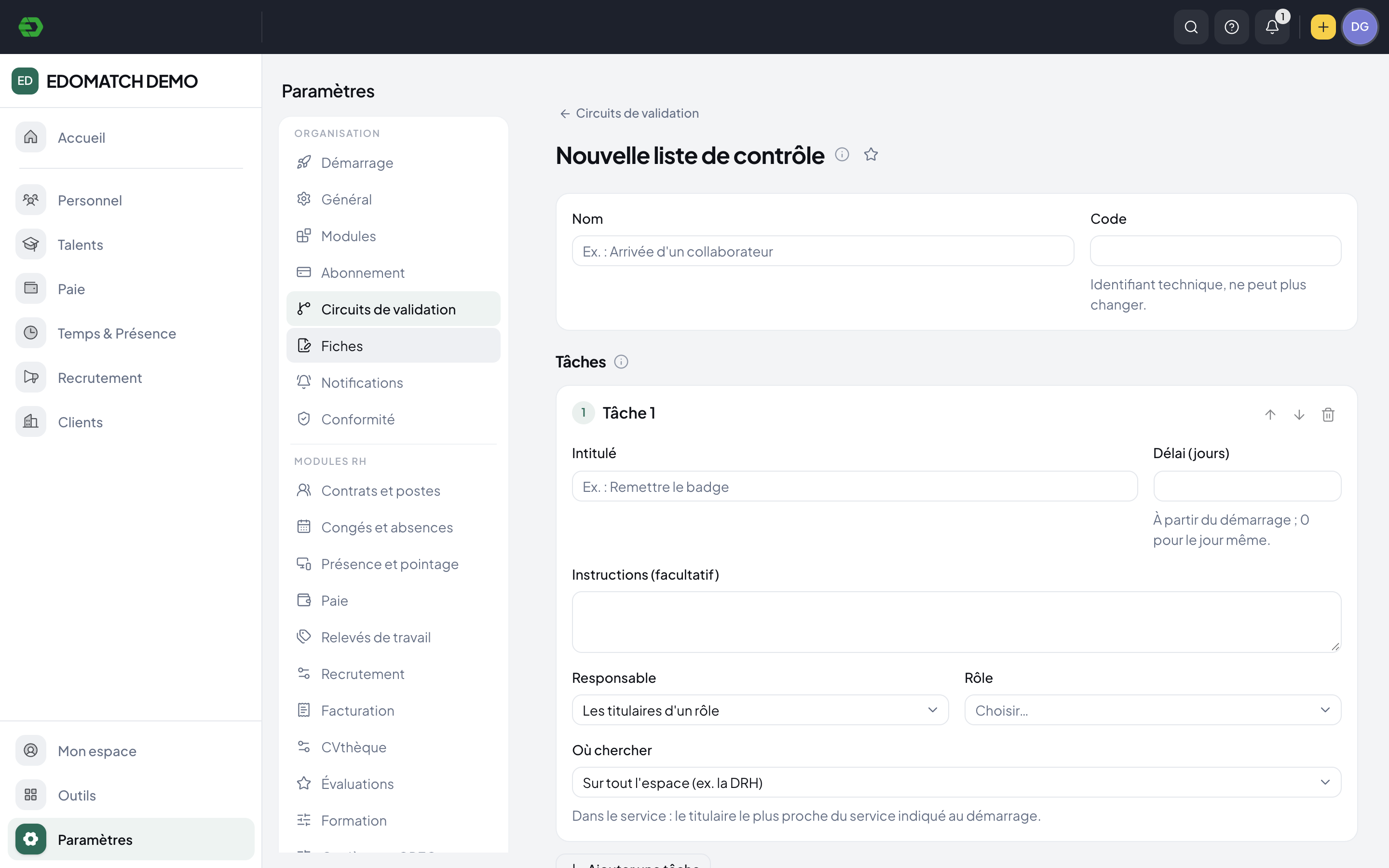
Define the arrival checklist
Name the tasks, add instructions and set deadlines relative to the start. Assign responsibility by role and organizational scope.
Connect it to the hire
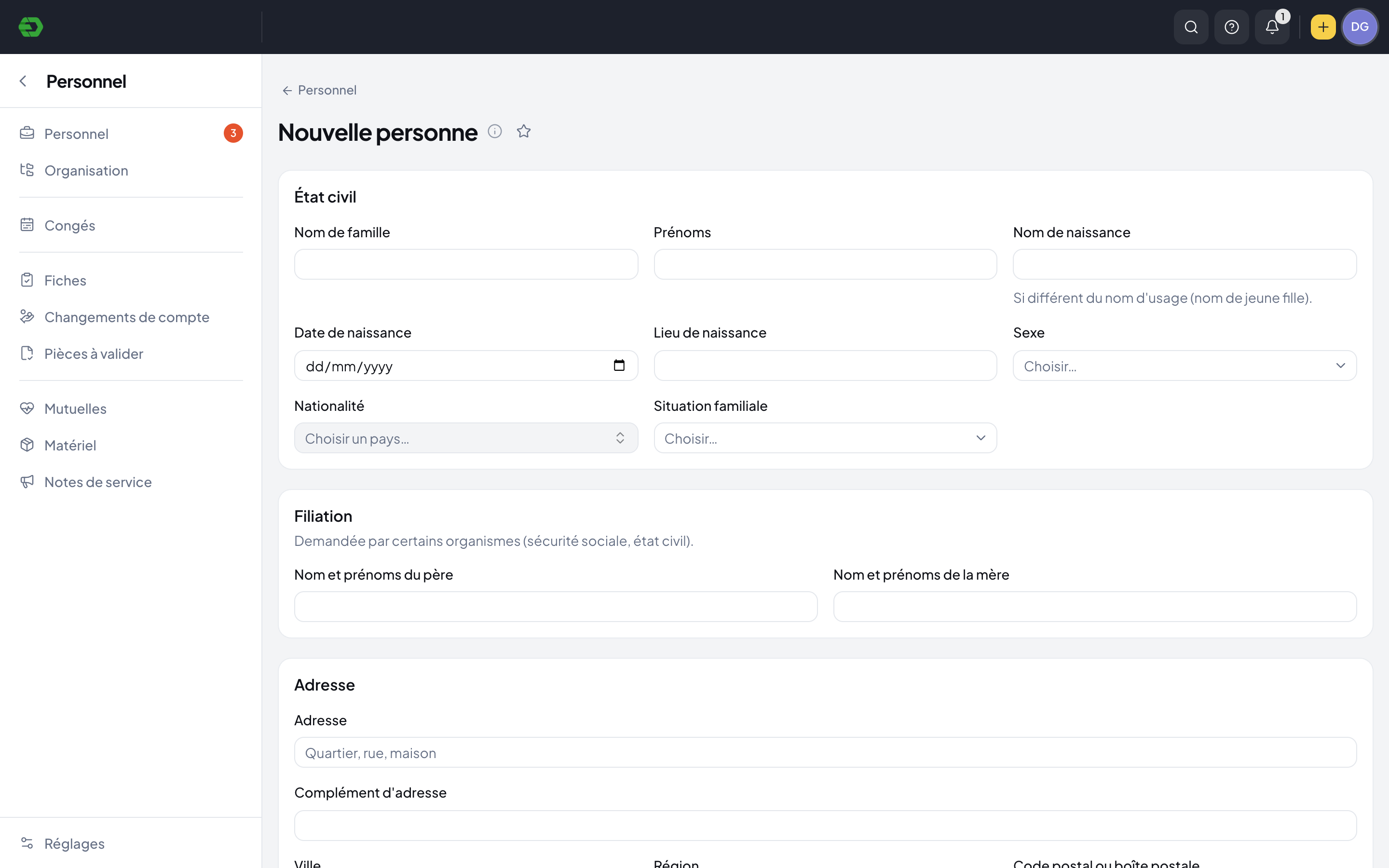
Choose the arrival checklist in the employment lifecycle settings. The configured tasks launch when the contract becomes active, after approval when a workflow applies.
Make responsibilities clear before day one.
Configure tasks such as badge handover or account preparation with the instructions and responsible roles your organization uses. A deadline of zero means the start day itself.
- Task instructions and ordered checklist entries
- Deadlines relative to the start
- Role-based responsibility across the workspace or department
Start with a useful employee record.
The personnel workspace keeps identity and contact details with employment information. The arrival configuration can also assign the next employee number when the contract activates.
- Identity, address and contact intake
- Duplicate checks before creating a person
- Optional employee-number assignment on contract activation
Arrival and departure share the same structure.
Lifecycle settings include both arrival and departure checklists. Configure the work for a new colleague and the tasks to launch when a contract ends, such as equipment return and access closure.
Explore HR SuiteA few practical answers.
What starts an arrival checklist?
You select a checklist in the employment lifecycle settings. Its tasks are created when a contract becomes active, directly or after validation if the contract uses an approval workflow.
Can tasks go to the right team?
Checklist configuration includes responsible roles and where to find them: across the workspace or in the relevant department. Each task can also have instructions and a deadline.
Can we prepare offboarding too?
Yes. Lifecycle settings provide a separate departure checklist, triggered when a contract end is recorded. The demo configuration describes equipment return, access closure and final settlement tasks.
Bring your HR work together.
Explore the workspace for your people, recruitment, time and payroll. Start with the part your team needs today.