



Know who’s expected. See who’s here.
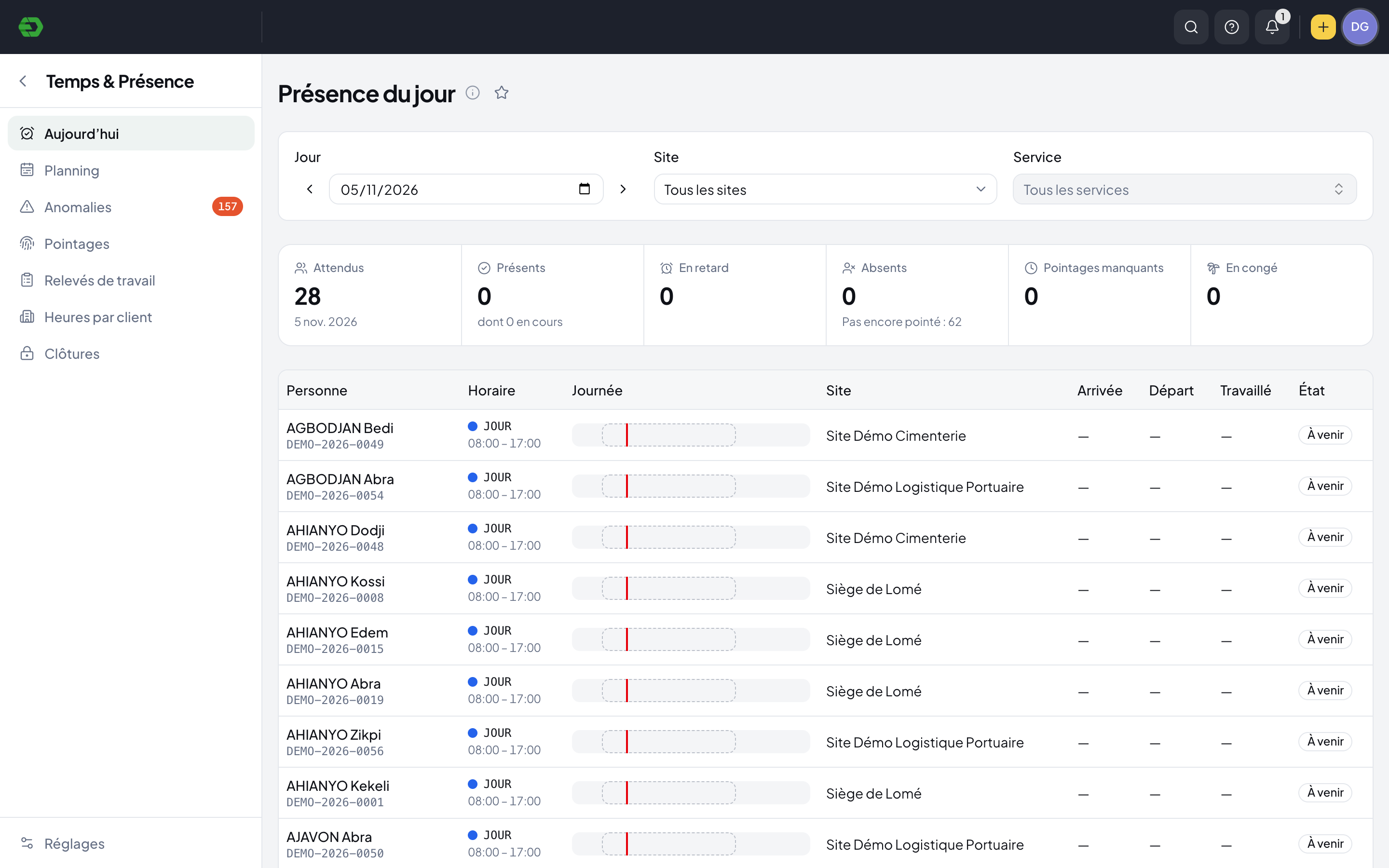
See planned schedules and daily attendance together. Follow arrivals, absences and missing clock-ins, then review the exceptions that need your team’s attention.
Plan the work. Follow the day. Review the gaps.
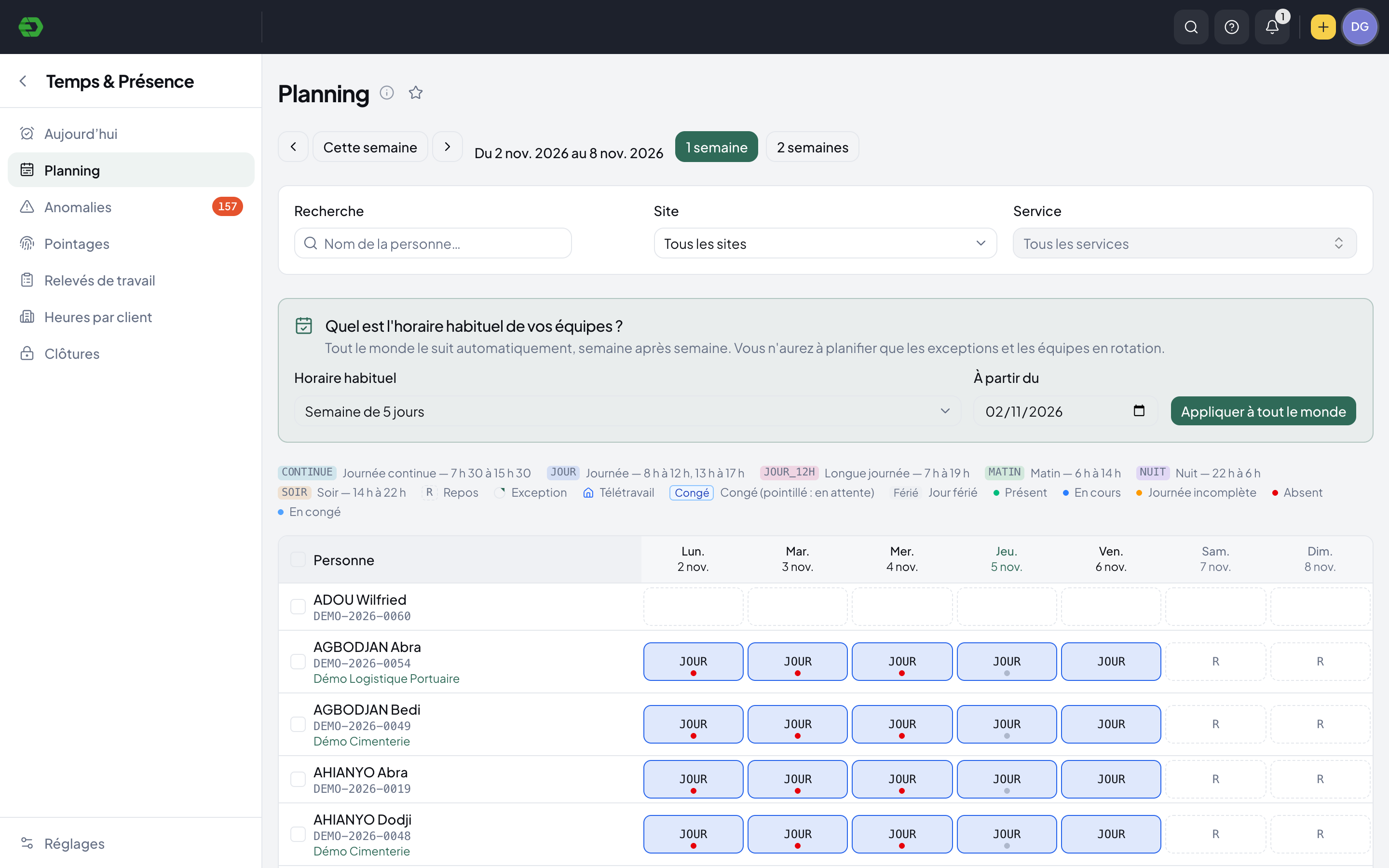
Set the expected schedule
Use the company or department’s usual schedule, individual rotations and one-day exceptions to show who is expected where and when.
Follow attendance
Open the daily view by date, site or department. Compare the schedule with arrival, departure, worked time and attendance status.
Review the exceptions
Work through absences, missed clock-ins, lateness and correction requests before closing the attendance period.
A schedule that reflects your teams.
View one or two weeks at a time. Regular hours, rotating shifts, rest days, remote work and leave share the same planning view.
- Company and department schedules
- Morning, evening, night and continuous shifts
- Individual cycles and daily exceptions
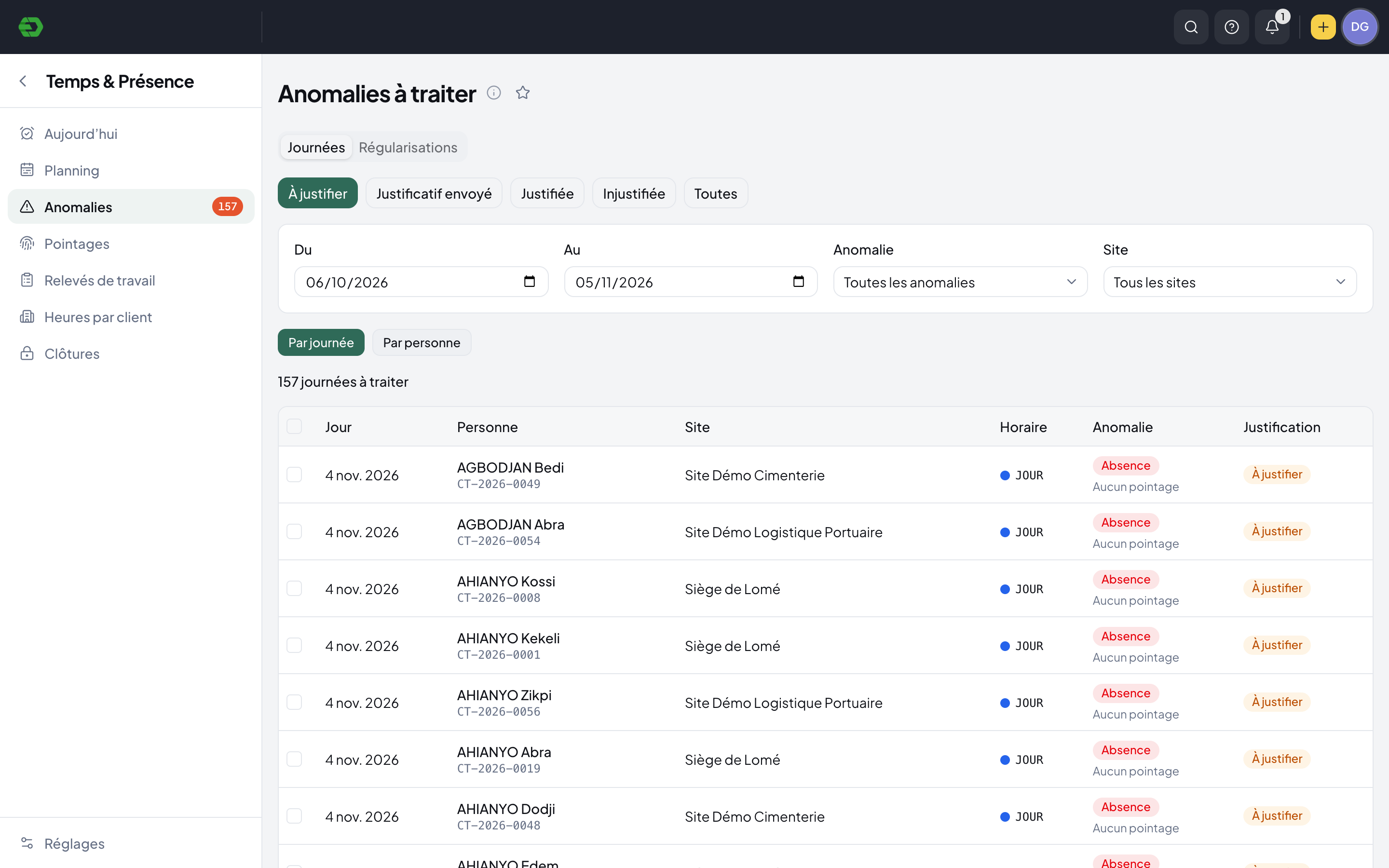
Give every exception a clear status.
Keep unexplained days separate from submitted, accepted or rejected justifications. Review the work by day or by person, with date, site and anomaly filters.
- Absences and missing clock-ins
- Late arrivals and early departures
- Justifications and regularization requests
Prepare time data for payroll review.
Attendance has its own period-closing area. The payroll cycle shows whether the attendance period is closed, giving the payroll team a visible checkpoint before validation.
Explore HR SuiteA few practical answers.
Can different teams have different schedules?
Yes. Planning supports the usual company or department schedule, individual cycles and exceptions for a specific day.
Can we filter attendance by location?
The daily view and planning include site and department filters. The daily view shows expected, present, late, absent, missing-clock-in and on-leave statuses.
What happens to unexplained attendance?
The exception workspace tracks days to justify, submitted evidence, justified and unjustified days. It also includes a regularization-request area.
Bring your HR work together.
Explore the workspace for your people, recruitment, time and payroll. Start with the part your team needs today.