


Give every candidate a clear next step.
Bring your vacancies, applications and talent pool together. Follow each candidate from a new application through interviews and the hiring decision in EdoMatch HR Suite.
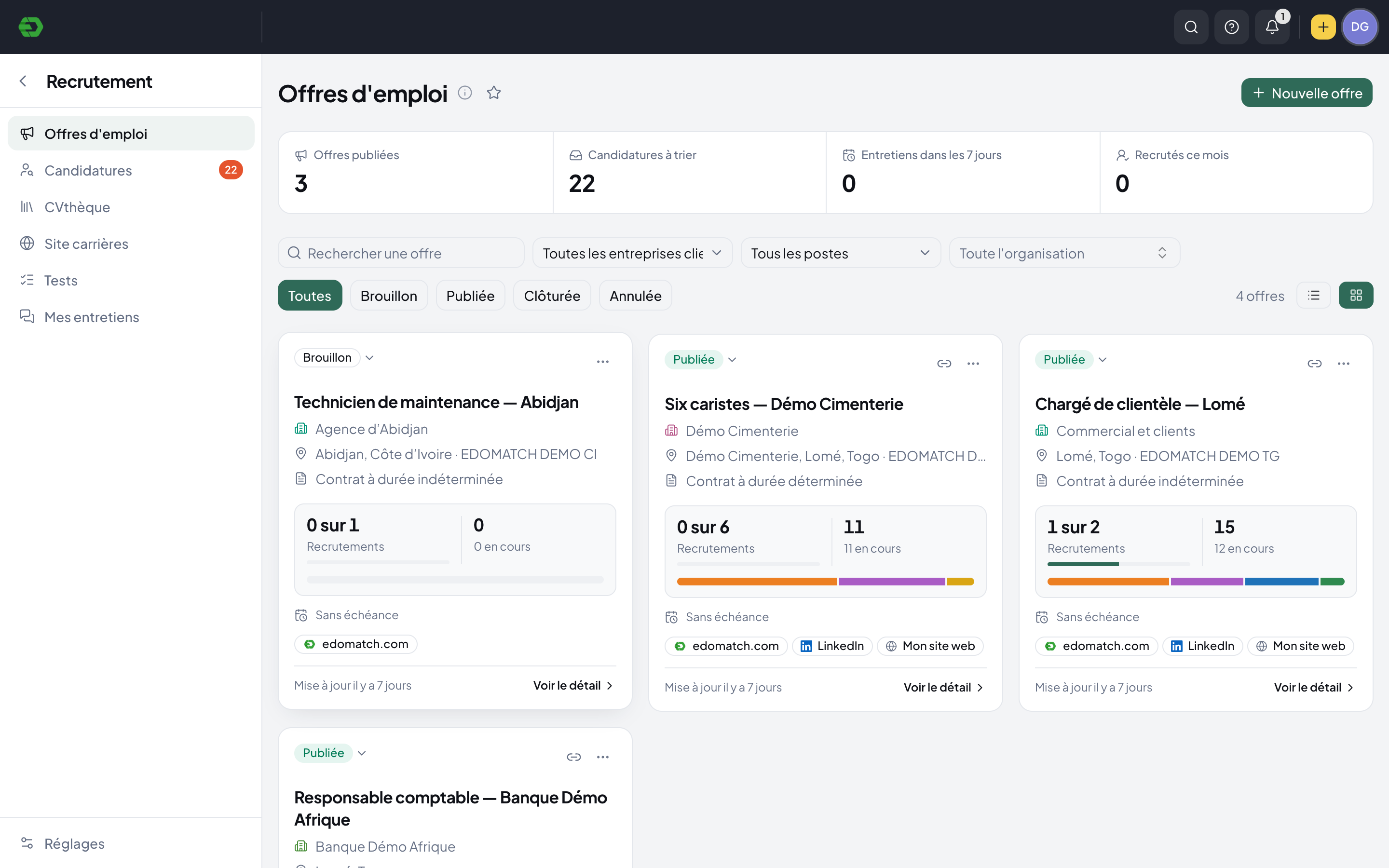
From vacancy to hiring decision.
Organize your vacancies
Find open roles by company, organization or job. See the recruitment target, deadline and current application stages together.
Review your candidates
Open an application to see its source, documents, evaluation, notes and history. Keep the context beside the candidate.
Move the process forward
Use a stage-based pipeline to follow shortlists, interviews, proposals and hires. Retain suitable profiles in your CV library for future roles.
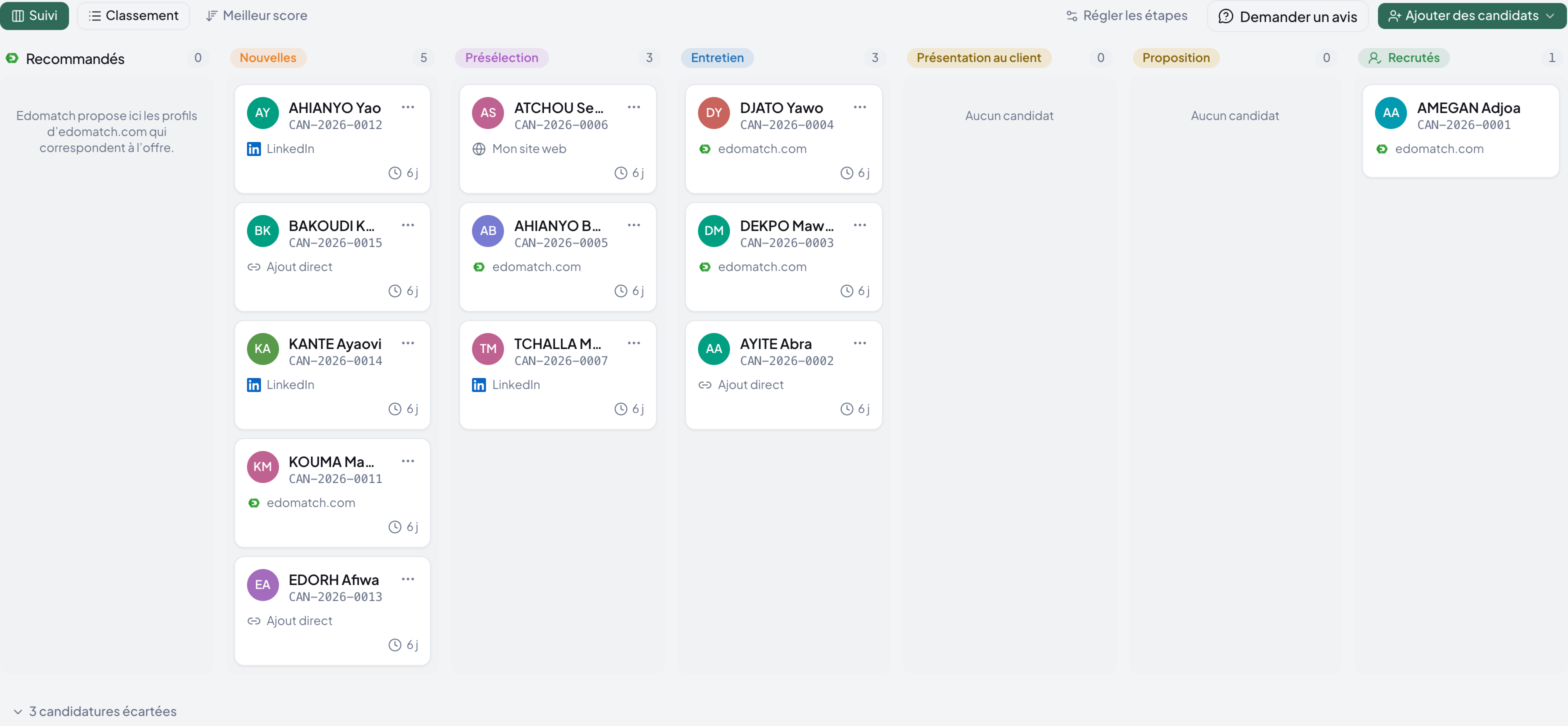
See where every application stands.
A vacancy has its own candidate board. Your team can see who is new, who is shortlisted and which applications are ready for the next conversation.
- Configurable recruitment stages
- Candidate source and time in stage
- Notes, evaluations and colleague feedback
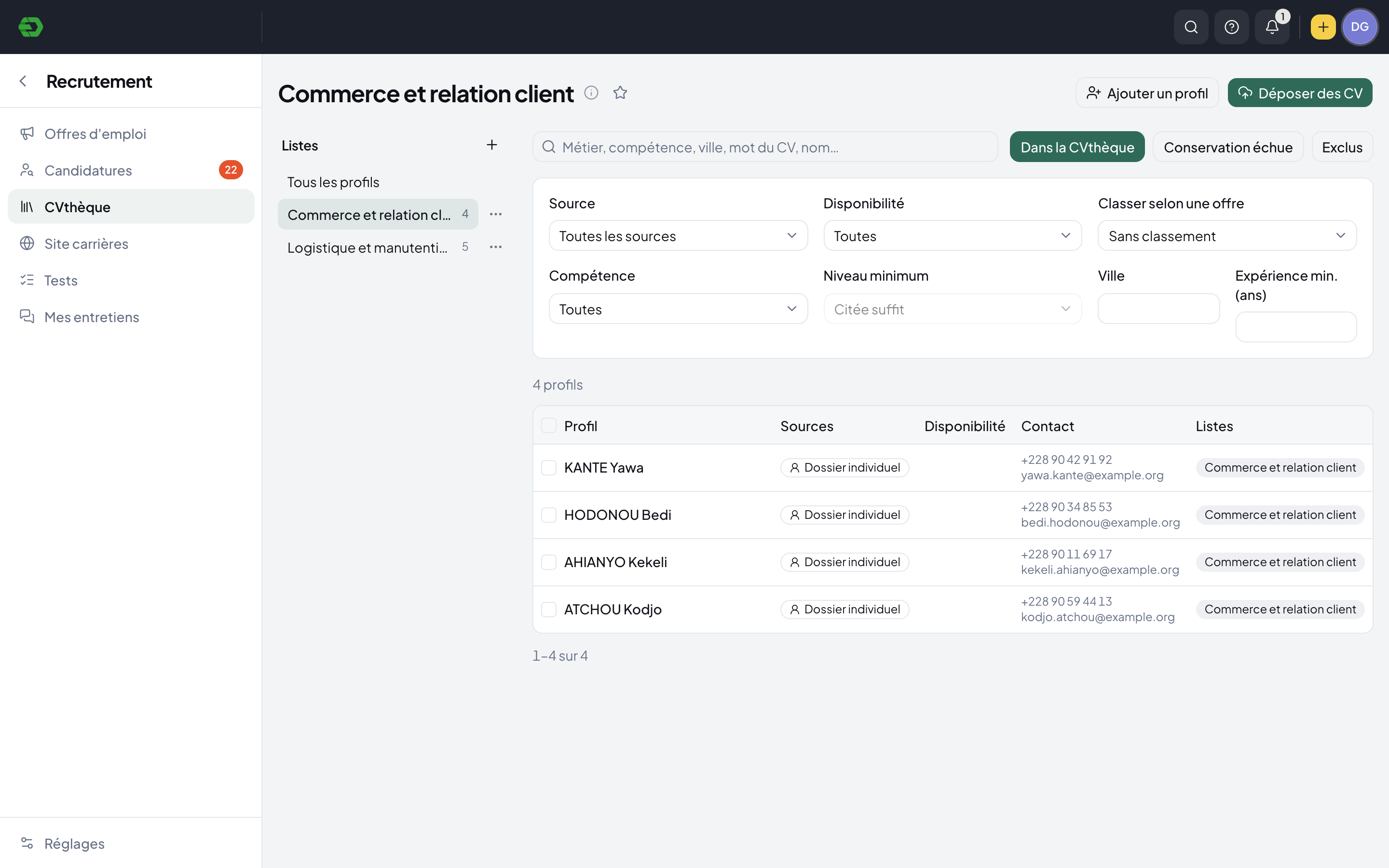
Your next shortlist can start here.
Keep a searchable CV library alongside your active recruitment. Group profiles into lists and narrow the search to the skills and experience a role needs.
- Search by profession, skill, city or CV keyword
- Filter by availability, experience and skill level
- Candidate consent and retention status remain visible
Hiring belongs in your HR workspace.
Recruitment sits beside the personnel directory, contracts, attendance and payroll. Give your team one place to follow hiring activity and manage the people already in the business.
Explore HR SuiteA few practical answers.
Can we adapt the recruitment stages?
Yes. A vacancy exposes configurable stages and a candidate board. The demo includes new applications, shortlist, interview, client presentation, proposal and hired stages.
Can we keep profiles for another vacancy?
The CV library supports lists, search and filters. Profiles have retention statuses, and an application includes a choice to retain the candidate in the library.
Does HR Suite include candidate review tools?
Candidate records include notes and reviews, evaluation, history, documents and tests. Recruitment also has dedicated interview and test areas.
Bring your HR work together.
Explore the workspace for your people, recruitment, time and payroll. Start with the part your team needs today.